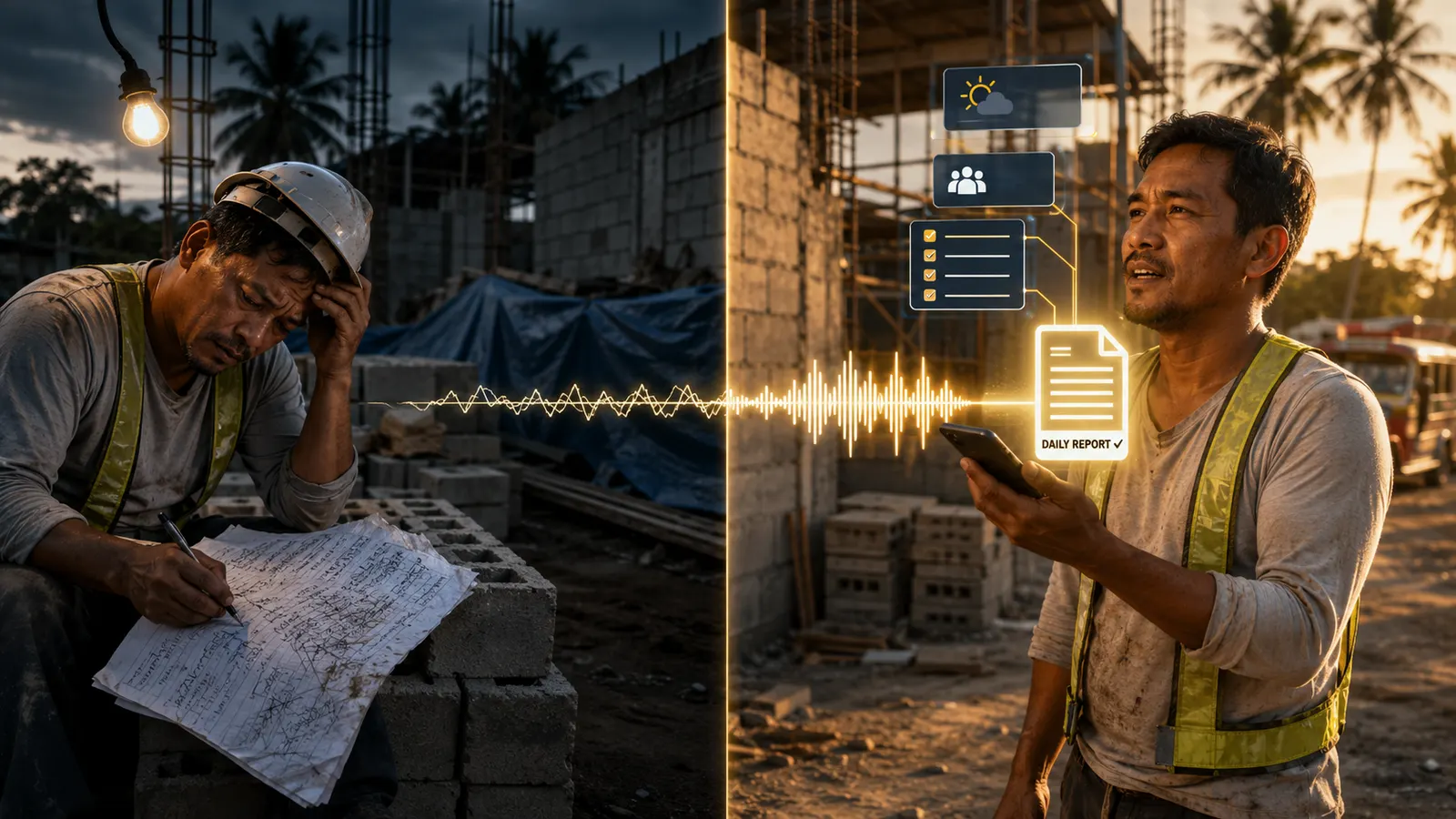
Every construction project in the Philippines generates the same document, every single day, whether anyone writes it down or not: what happened on site. The question is whether that record exists anywhere the day a client asks for it, a bank asks for it, or a dispute makes it matter.
A daily construction report (DCR) is that record — a short, dated log of weather, manpower, work done, materials, and issues, usually closed out with site photos. It's not a legal filing and there's no single government-mandated format for it, but in practice it's the document that protects a contractor when a client says "you weren't even on site that week," and the document a bank wants before releasing the next loan tranche.
Most small and mid-size Philippine contractors either skip it or write the same vague line every day: "nagtrabaho, normal lang." That's not useless, but it won't hold up when it matters. Here's what actually belongs in one — and a faster way to produce it than typing it out every evening.
Variation order disputes, delay claims, and loan-release documentation are almost always decided by whoever has dated, specific records — not by who's right in the moment. A daily report habit is cheap insurance most projects skip until they need it.
There's no single legally mandated template, but professional practice in the Philippines has converged on the same core fields. Use this as your baseline:
| Field | What to Record |
|---|---|
| Project & date | Project name/location, date, day of the week |
| Weather | Sunny, cloudy, rain — and whether it stopped work |
| Manpower | Total workers on site; by trade if you're tracking productivity |
| Work accomplished | Specific tasks completed — location and quantity, not just "concrete work" |
| Materials delivered | What arrived on site that day, with quantity if practical |
| Issues / delays | Anything that stopped or slowed work — late delivery, weather, access, permit hold |
| Site photos | Dated photos of the actual work done that day, not stock progress shots |
| Signature | Preparer's name and position — foreman, site engineer, or PM |
Vague entries are the most common failure mode. Compare these two ways of logging the same day:
"Work accomplished: Trabaho sa footing. Normal lang."
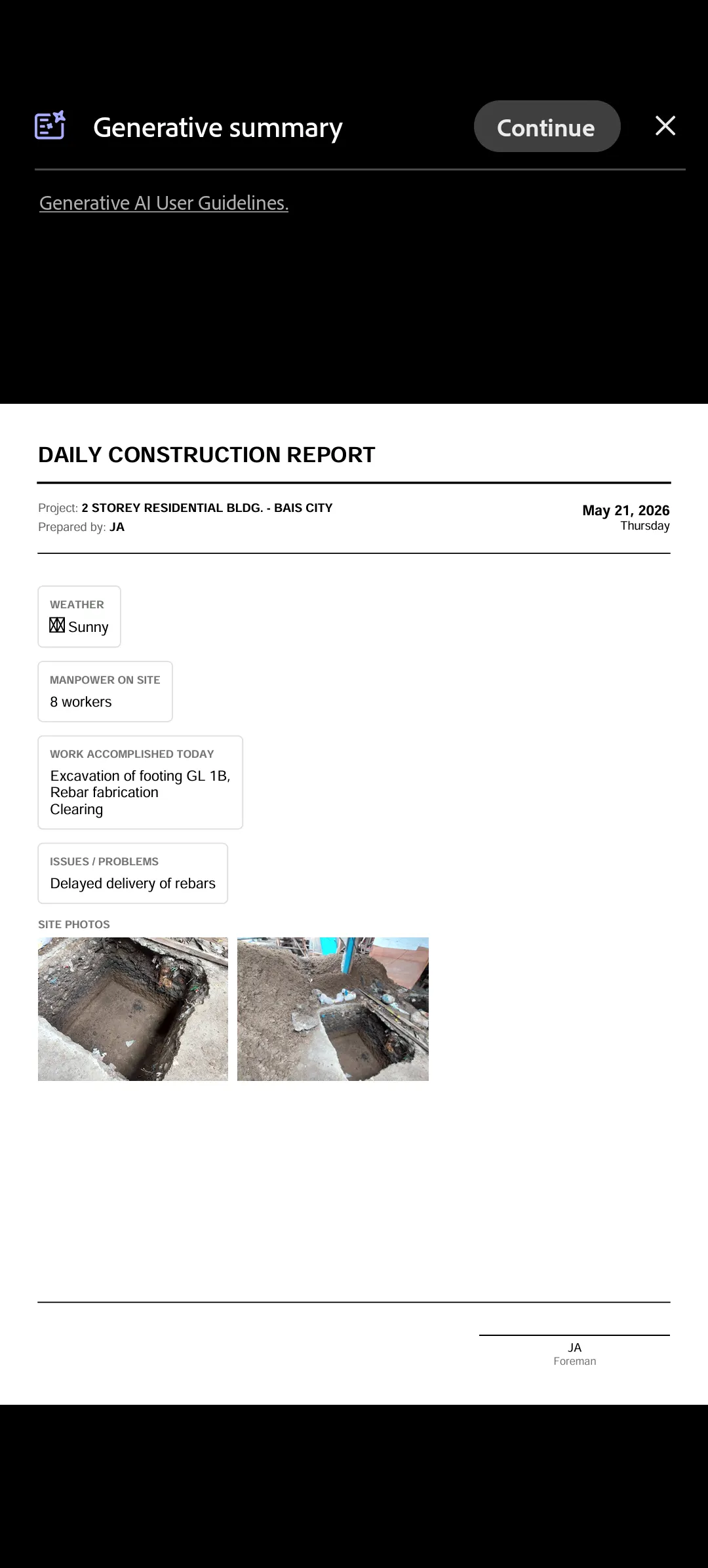
"Work accomplished: Excavation of footing GL 1B completed. Rebar fabrication for columns in progress. Site clearing at north lot boundary. Manpower: 8 workers. Issue: delayed delivery of rebar — supplier confirmed for tomorrow AM. 2 site photos attached."
The second version is what a specific location, a specific quantity, and an honestly logged delay look like. It's also exactly what shows up automatically once you stop typing reports and start dictating them.
The reason most small contractors skip daily reports isn't that they don't understand the value — it's that typing a structured report after a 10-hour day on site is the last thing anyone wants to do. BuildX Field Report closes that gap with quick-add shortcuts for common Philippine construction tasks ("Poured concrete – Column B2," "Laid CHB – 2nd floor north wall") and structured fields for weather, manpower, and issues — so most of a report is a few taps, not a blank page.
From there, one tap — AI Polish — turns your short notes into clean, professional accomplishment-report language, assembled automatically into the formatted PDF alongside weather, manpower, issues, and your site photos. The app also supports adding notes by voice, in Filipino, Bisaya, Mixed, or English. Like most voice-to-text on an actual construction site, accuracy varies with background noise, so we'd treat it as a quick way to capture a note you review afterward rather than the primary way to log a report — the quick-add chips and typed entry are the more reliable path.
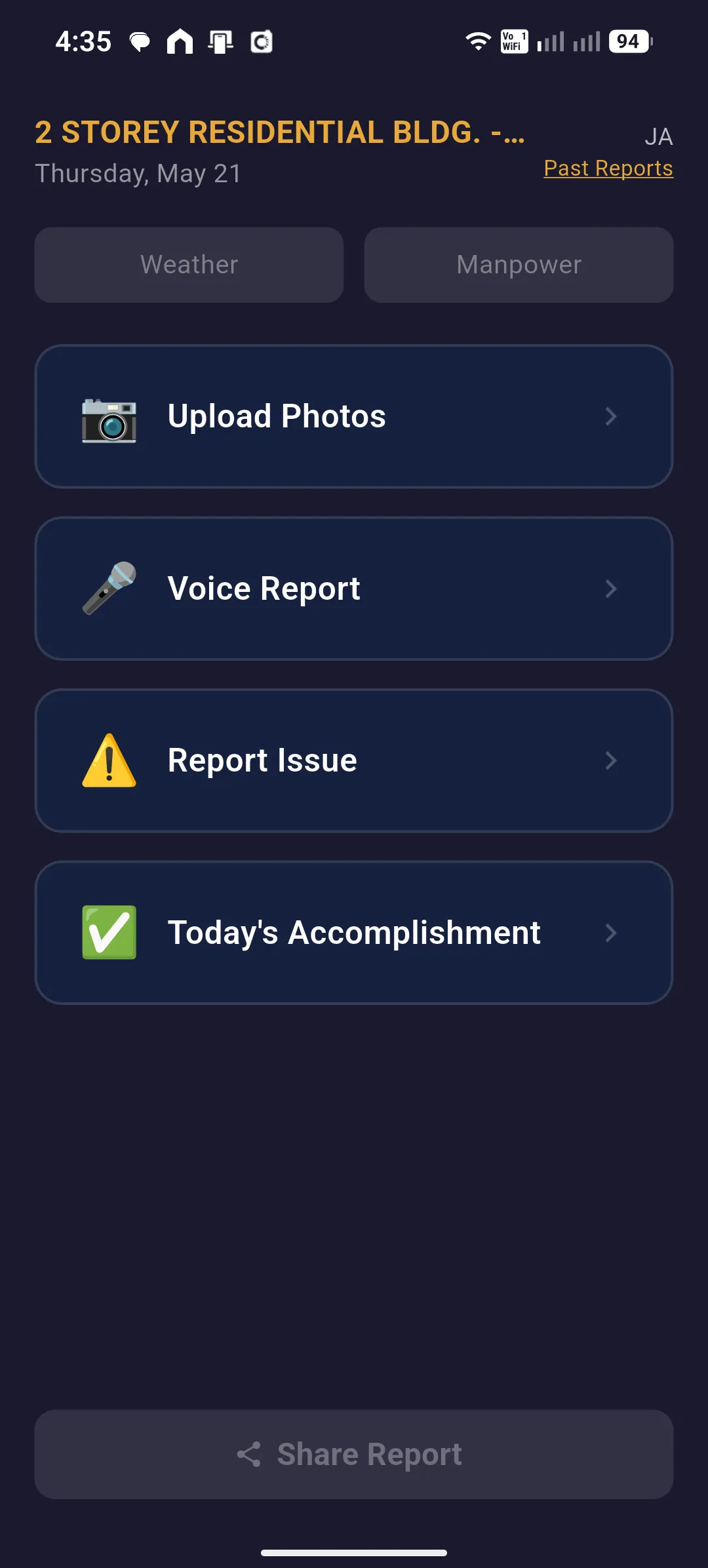
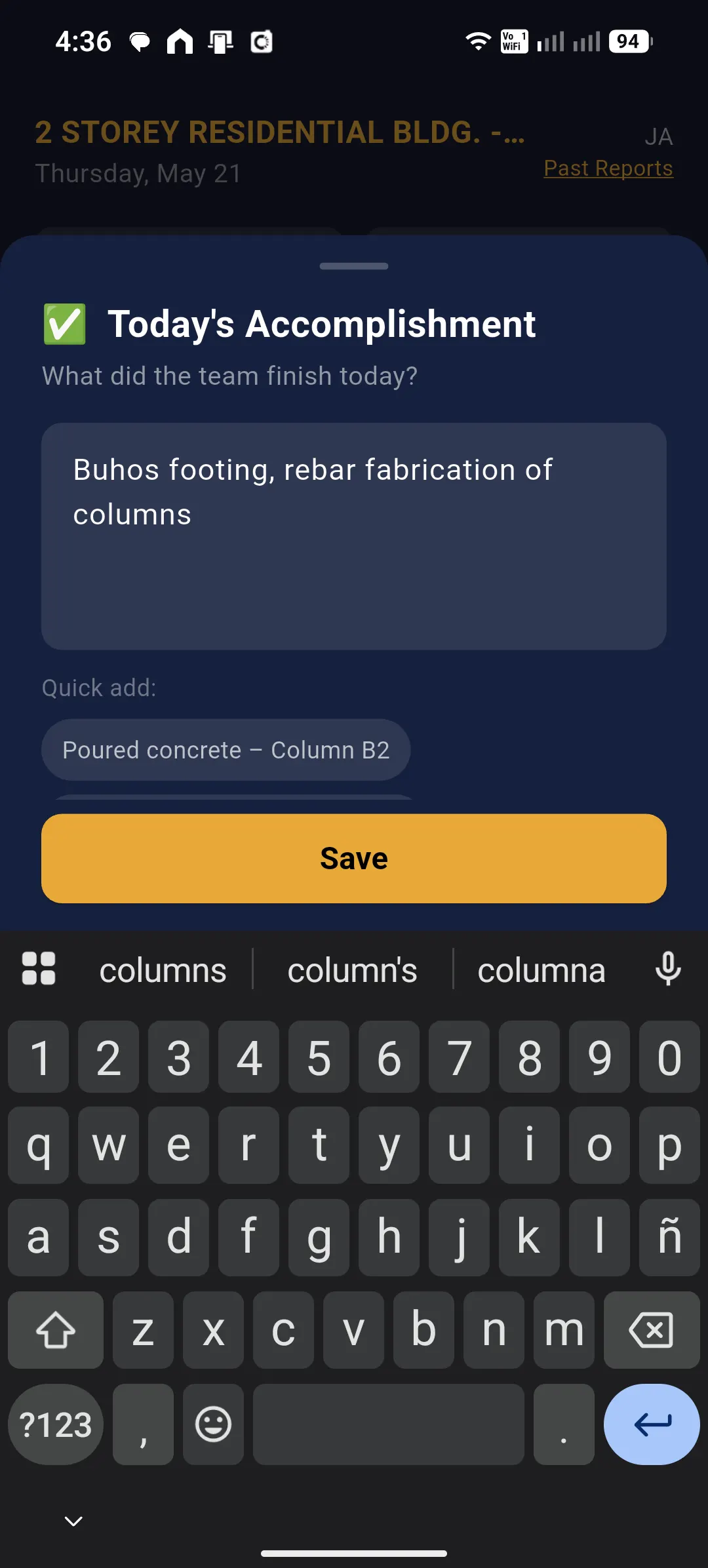
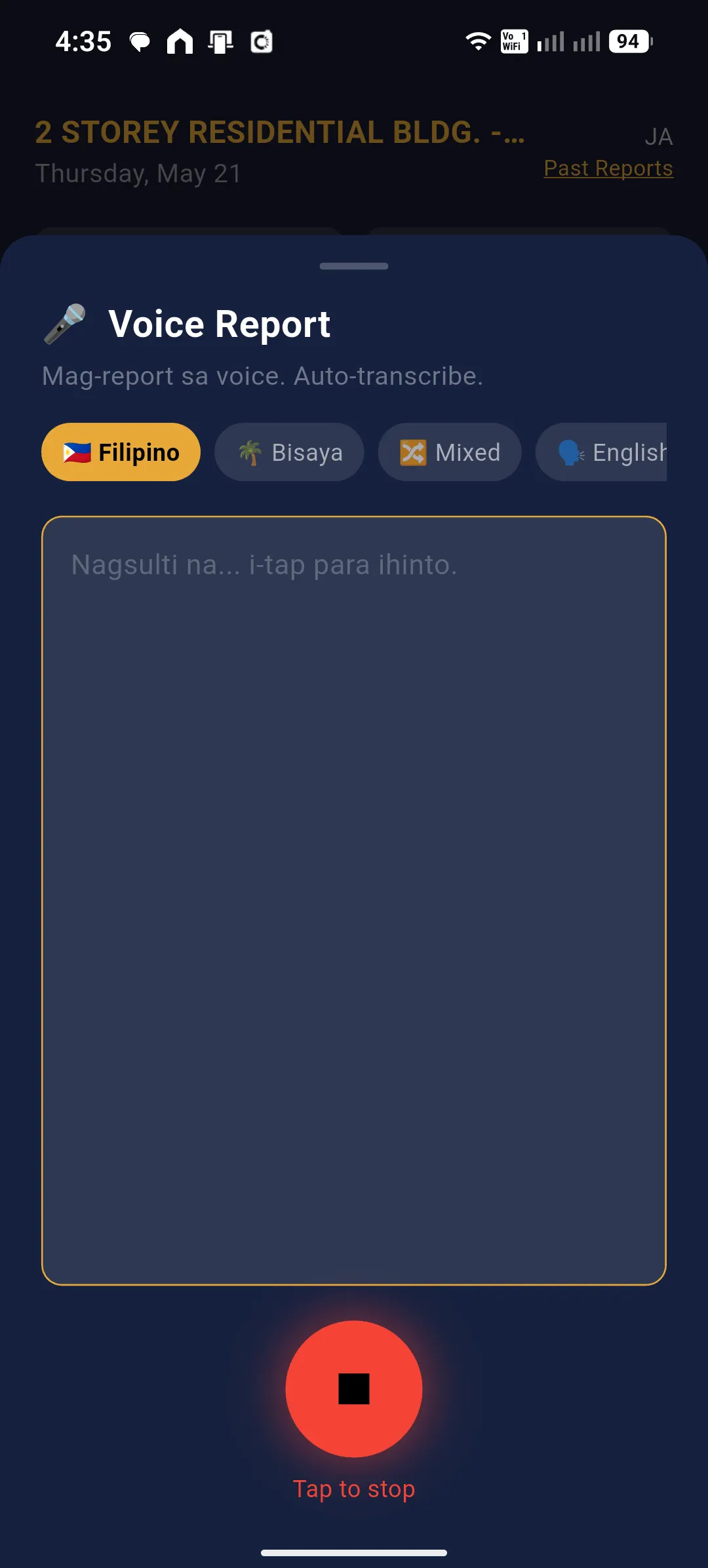
The result is a formatted PDF — project name, date, weather, manpower, accomplishment, issues, and a photo grid — ready to share the same way you'd share any file on your phone:
Reports auto-archive so past days are never lost, and a 4:00 PM reminder means the habit doesn't depend on remembering — which is usually the actual reason a report streak breaks.
Once your license is activated, the app works fully offline — a real constraint on most Philippine sites. The one step that needs a connection is the AI Polish rewrite; everything else, including PDF generation, works without signal.
BuildX Field Report turns quick-add shortcuts and AI-polished notes into a complete, professionally formatted daily report — weather, manpower, accomplishment, issues, and photos, exported as a shareable PDF.
AEDO Construction provides design-build project management for residential and commercial builds in Negros Oriental, and design plus remote construction oversight nationwide — structural design, permitting, and documented progress at every stage.